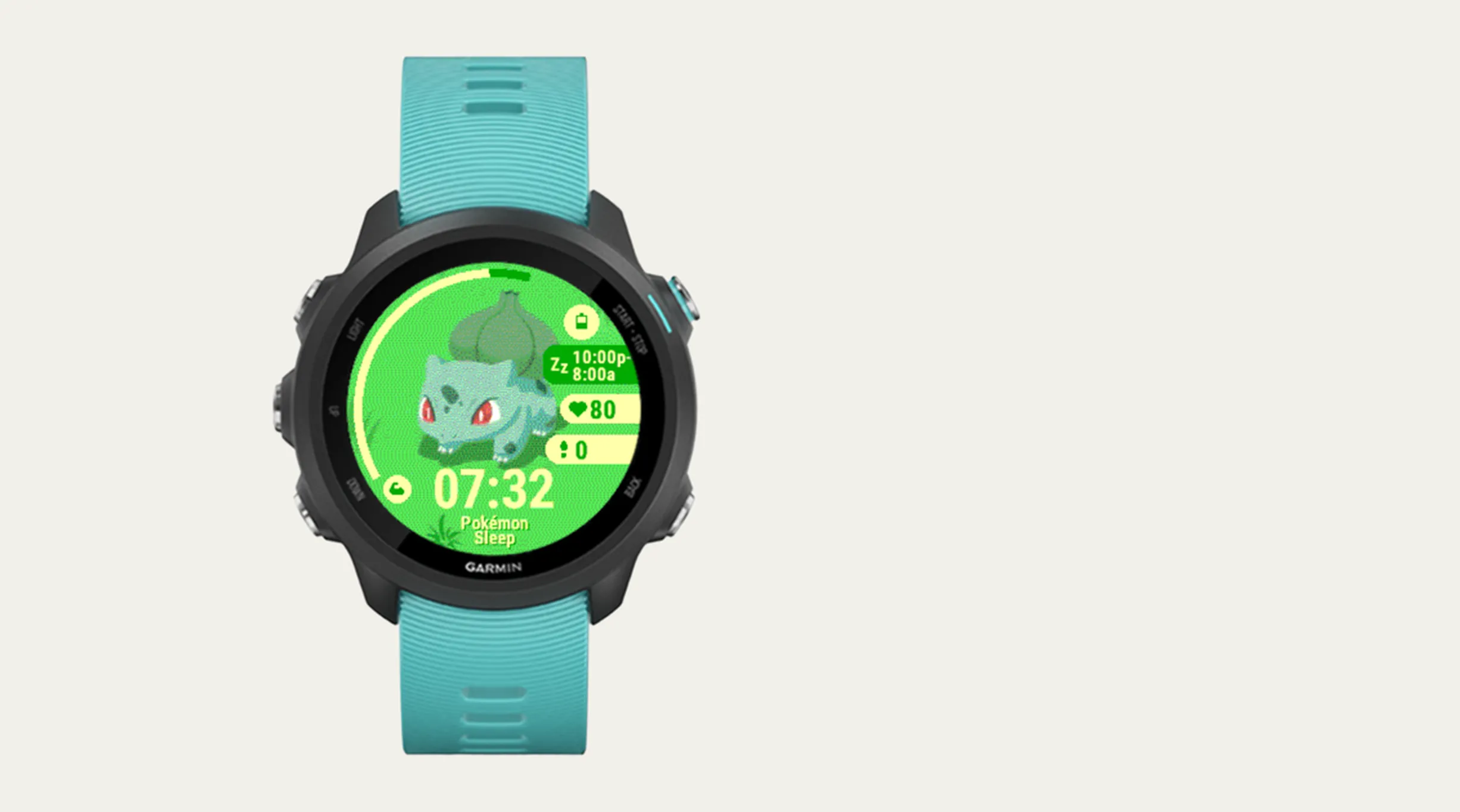
Garmin just announced a collaboration with Pokémon Sleep for World Sleep Day 2026, bringing official watch faces that change based on your Body Battery levels. It’s a fun collab, but my Garmin Forerunner 245 Music isn’t on the supported device list. So Claude helped me build my own a few weeks before the release.
It’s a quickie, something to finish up in an afternoon. There are some constraints from the embedded hardware: a 64-color fixed palette, 96KB of memory, and the 240x240 display is MIP (Memory-in-Pixel) with no support for alpha blending. You should be able to just send a link for this article to Claude as reference and then write your prompts on top for whatever watch face you want to build.
Initial Prompt
Not a fan of short, one-shot prompts, but this is what I gave it first:
I want your help to create a garmin forerunner 245 music compatible watch face featuring pokemon. I want it to be similar to the recently announced Pokemon sleep garmin watch face, but that one is incompatible with my watch.
Since memory is the #1 constraint on older Garmin watches, the prompt should have accounted for that. PNG compression helps with reducing storage but does nothing for RAM as a bitmap decompresses to its full pixel count in-memory. The 64-color palette is physically fixed on MIP displays, so additional processing is needed to dither the images into this palette. Code size also matters more than you’d expect, even switch statements are expensive in Monkey C bytecode.
Starting with primitives
The first version was drawn entirely with code, no images sprites used. Circles, ellipses, arcs, and polygons for the art and the usual watch face data: time, date, battery, steps, heart rate.
Claude helped scaffold the entire Connect IQ project from scratch — manifest.xml, monkey.jungle, the app entry point, view class. It was all created specifically for my Forerunner 245 Music (FR245M) with API level 3.3.0. Make sure you tell it to:
- Install the target device and API version in the ConnectIQ SDK Manager
- Generate a developer signing key (openssl works fine)
- Create a launcher icon for the app store listing
Replacing primitives with art
The FR245 Music has a MIP (Memory-in-Pixel) display that is physically capable of rendering only 64 colors. Further, these are predecided colours, not configurable. The palette is 4x4x4 = 64 (every combination of 0x00, 0x55, 0xAA, 0xFF per RGB channel). It does not allow for alpha blending either, so if you want transparency, that needs to through colour-key. I used it so that the colour magenta (#FF00FF) was treated as transparent.
The art pipeline ended up being a multi-step process, all designed around these constraints:
- Screen-record the Pokémon Sleep app, isolating each Pokémon in their different modes (sleep/ awake)
- Crop the video to a circular frame, convert to .gif and scale the video down to
240x240used ezgif - Extract individual frames from the animation .gif
- Cherry-pick a subset of frames to help stay within the memory budget
- Dither used dither.it with custom palette to constrain to the 64-colour palette
- Swap transparency to the magenta colour key and convert to indexed PNG
Memory budget
The 96KB memory limit for FR245 watch faces covers everything - compiled bytecode, resource s, and the runtime heap with decompressed bitmaps.
Your compression levels on the base PNG resouces aren’t entirely relevant as the images are fetched into memory as bitmaps. A single 240x240 8-bit bitmap takes 57.6KB in RAM, or around 60% of the budget for one image.
The first approach of using a background image with a sprite overlay seemed reasonable:
- Background (
240x240):57,600 bytes - Sprite (
144x159):22,896 bytes - Code:
~15,000 bytes - Total:
~95KB- crash.
Funny how the constraints are so tight, anything above a single 240*240 image in memory at any time leads to the app crashing out. xD
Shrinking the sprites to 90x100 technically did fit, but it was dangerously close to crashing and didn’t seem like the optimal way forward. Further, the dithering patterns are made according to the image size, any resizing of the image after dithering leads to leaky colours. Make sure to ensure dithering is the last step in your image processing pipeline.
The only solution left was to skip keeping a separate BG and to bake the character and BG into one full-frame composite. The naive approach of loading all frames in onLayout() was a non-starter and would put it 3x over the budget. Each frame was a complete 240x240 image of Bulbasaur composited onto the grassy field background. To get motion into the watch face and to work around the memory budget, only one frame was loaded at a time:
57,600 bytes+~15,000for code =~72KB.
Animation within this budget involved using six separate sleep animation frames using a ping-pong cycle (1->2->3->4->5->6->5 …). Single-frame loading was used: free the previous frame’s reference, then loadResource() the next one. The resultant animation was quite slow as the default native 1fps looked jittery. So instead, a timer controlled the frame rate independently of the onUpdate() cycle.
The animation runs at 2fps when the wrist is raised. Animations are timer-based that start/stop with onExitSleep()/onEnterSleep().
The animation behavior was chosen to be at constant speed with a ~15% random chance of direction reversal at each tick, always reversing at edges. It created a natural non-repititive swaying motion.
Sleep and awake modes
On Garmin, a user can set their usual sleep timing. Sleep mode showed a sleeping bulbasaur sprite during the sleeping hours and the 2 hours leading to it. Awake mode shows active sprites instead.
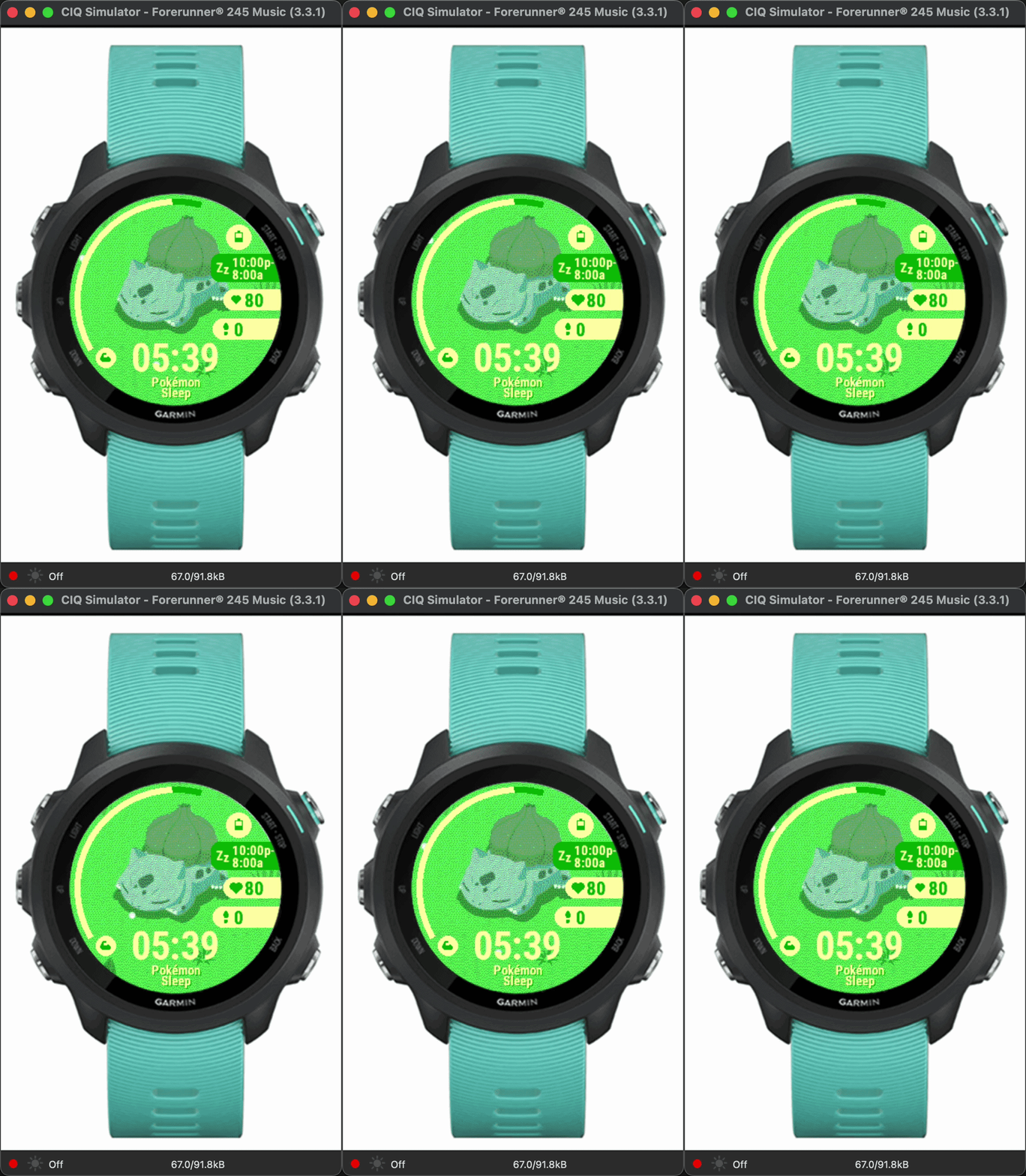
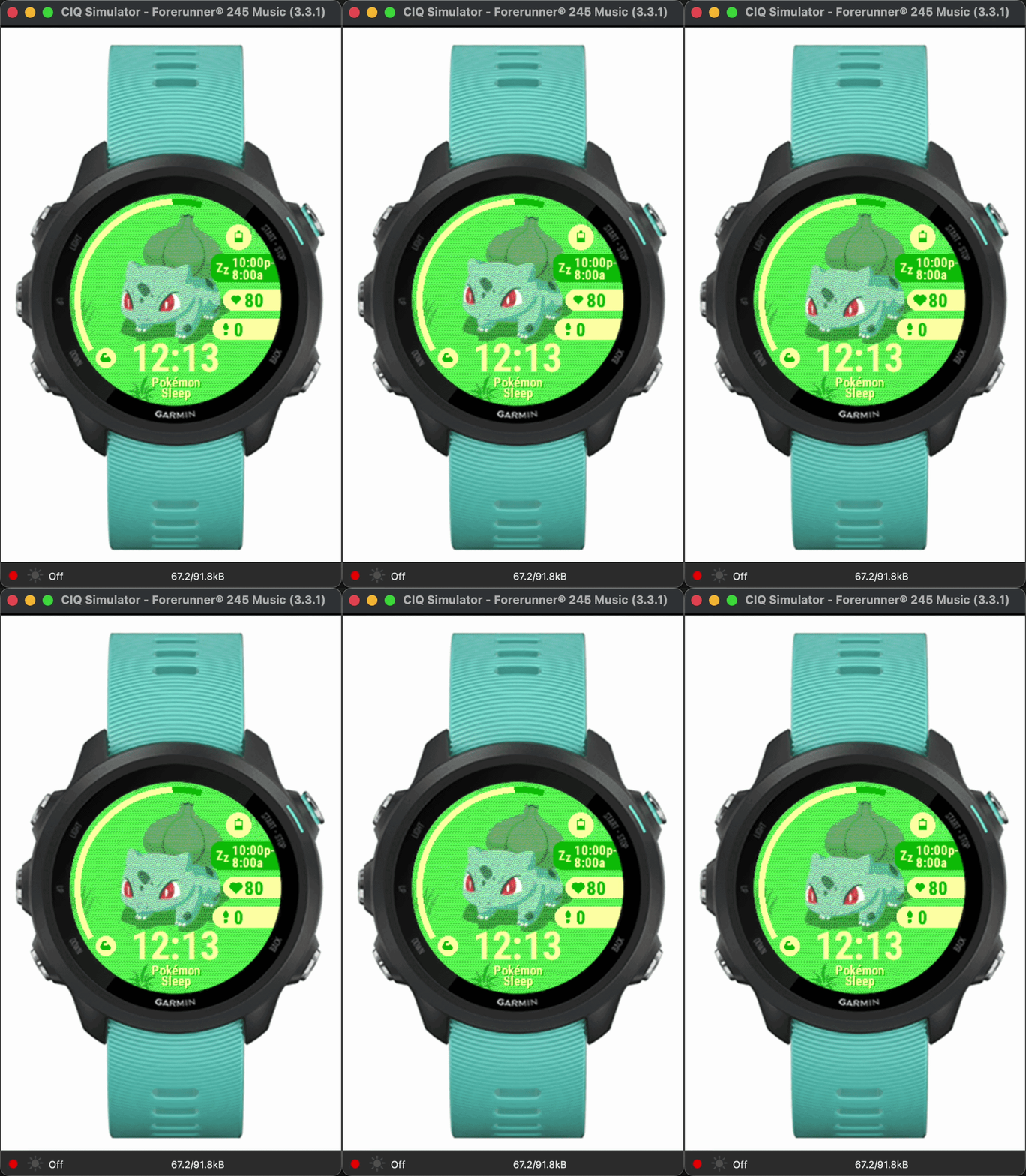
Adding both sets of frames immediately blew the budget again. 17 bitmaps at ~10KB each on disk decompressed to way more than 96KB in total resources. Even bytecode size became a real issue, large switch statements for frame loading consumed significant memory. Instead, stored Rez.Drawables.* IDs in arrays and indexed by frame number to cuts size.
In the end, it took some iteration to get to the right orientation of the HUD for the various data fields. Once done, just build the .prg file and MTP it onto the watch.
That’s it.